Export to RTAMT
SpecForge supports the export of specifications in Lilo to be used by third party monitoring tools. Currently, we only support RTAMT, a monitoring tool for Signal Temporal Logic (STL), maintained by Nickovic et al.
Invoking the Export Functionality
The export functionality can be invoked from the easy analysis UI in the SpecForge VSCode extension, as shown in the screenshot below.
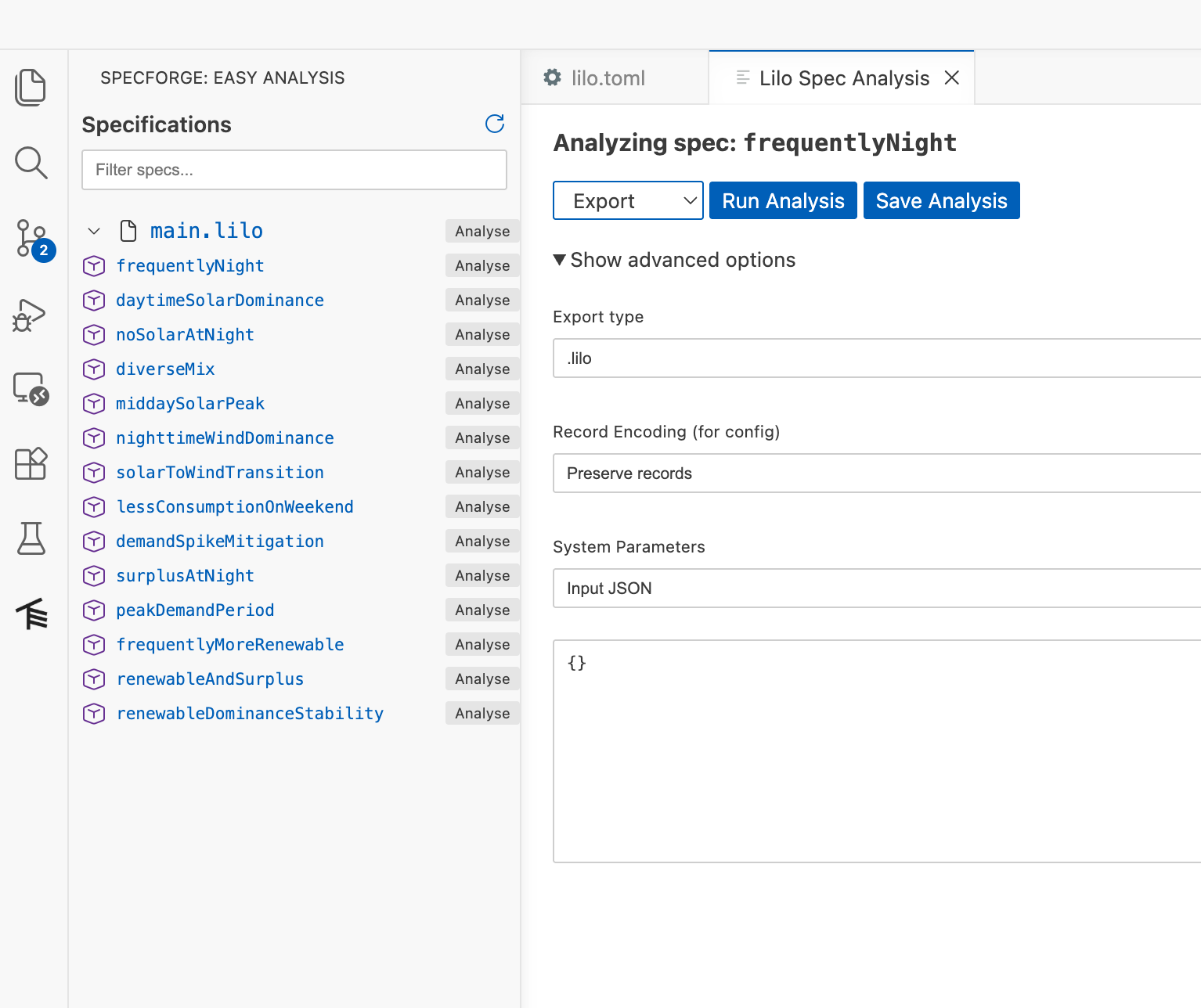
Alternatively, it can also be invoked using the Python SDK for use in a Python Script or a Jupyter Notebook. See the Python SDK documentation for the specifics of this method.
rtamt_formula = specforgeClient.export(
    system="f16",
    definition="afloat",
    export_type=EXPORT_RTAMT,
    return_string=True  # Get the exported string
)
print("Exported RTAMT formula:", rtamt_formula)
Further Notes on RTAMT
RTAMT is distributed as a Python library. We refer the user to the RTAMT documentation for instructions on how to install and use it.
When exporting to RTAMT, SpecForge will inline definitions to produce a single formula. Parameters will be replaced with their default values, or with values provided as an argument to the export. Those parameters for which no value is provided will be replaced with a free variable of the same name. If a parameter has a default value, but the user wishes to replace it with a free variable, they can set the parameter value to the JSON value null.
The RTAMT formulas involve a much smaller grammar, and therefore the export of Lilo specifications to RTAMT may be limited in some cases. Some of the features of Lilo that are not supported in RTAMT include: usage of strings and records, usage of the time variable, usage of non-trivial expressions in intervals, and uses of if, did_change, will_change, previous_with and next_with. In some cases, the export may still succeed if optimizations applied by SpecForge result in a formula that eliminates the unsupported features.
Sliding window quantitative operations max_future, min_future, max_past and min_past are translated to their temporal (eventually, past, always and historically) counterparts in RTAMT. This works because RTAMT runs in the robustness mode, and does not typecheck formulas.